
reunions · same faces, new roll
Same old crowd, new roll.
Polaric is a shared disposable camera app for class reunions and family reunions. Everyone shoots a few frames on their own phone, nobody sees a photo during the event, and the album develops for everyone at the same moment. Guests scan a QR code and shoot in their browser, so relatives and old classmates need no app.
Got an invite link? Open it on your phone. Guests join right in the browser, no install.
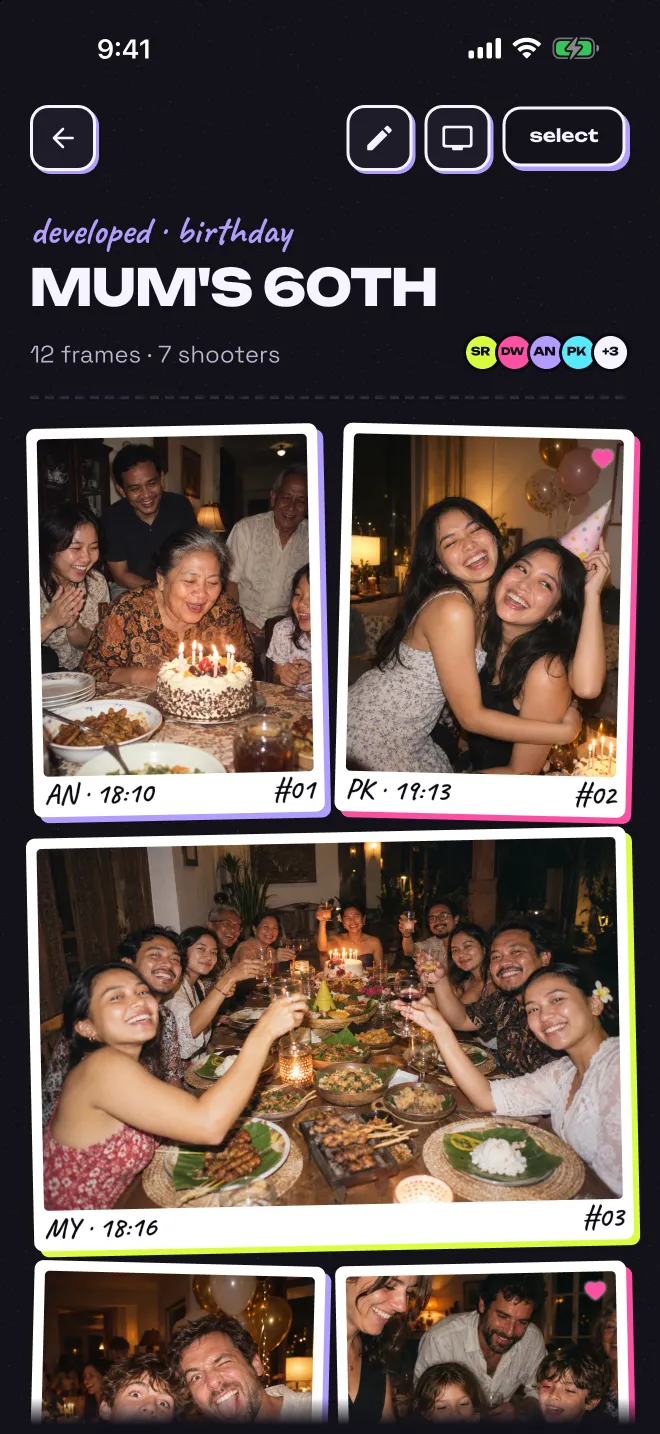
How a reunion roll works.
The organiser creates the roll in the Polaric app. For a family reunion, pick Family as the kind. For a class reunion, type a custom kind such as Class of 2016. Choose how many frames each guest gets and when the roll closes.
A roll is free for up to 5 guests plus the host. A reunion is usually bigger, so the host buys guest spots for this roll in the app. 50 guests cost $9.99, 100 guests $14.99 and 200 guests $29.99. It is a one-time purchase for that roll, not a subscription, and guests never pay.
Send the invite link to the reunion group chat before the day, and put the QR code at the entrance. Guests join in their phone's browser, on iPhone or Android, with no install and no account. When the roll closes, it develops and the album opens for every member at once.
suggested settings
- Kind
- Family, or a custom kind such as Class of 2016
- Frames each
- 24, enough for a long afternoon and evening
- Open for
- 12 hours, or 1 day if the night runs late
- Look
- Faded with a cream frame
- Guests
- The 50 or 100-guest roll ($9.99 or $14.99), bought in the app
Prices in US dollars, the same on the App Store and Google Play. Your app store shows the price in your local currency. See every roll size.
Get the whole crowd shooting.
- Send the link early. Post it in the reunion group chat a few days ahead, so guests can join before they arrive.
- Put the QR code at the entrance. Next to the name tags or the guest book, it catches everyone who missed the link.
- Save a frame for the group photo. Ask everyone to keep one frame for it. You get the group photo from many angles instead of one.
- Help older relatives join. They only need to scan the code or tap the link. There is nothing to install and no account to create.
- Keep the code among guests. Anyone with the invite code can join the roll. Share it in the group chat and at the venue, not on a public page.
questions
Good to know.
Can older relatives join without installing an app?
Yes. Guests scan the QR code or open the invite link and shoot in their phone's browser, with no install and no account. It works on iPhone and Android.
How many people can join a reunion roll?
Anyone with the invite link can join and see the album. A free roll covers up to 5 guests who shoot, plus the host, and a guest uses a spot with their first photo. For more, the host buys guest spots for that roll in the app: 10, 25, 50, 100, 150, 200 or unlimited guests. A 100-guest roll costs $14.99.
Who can see the reunion photos?
Only the members of the roll, meaning the host and the guests who joined. Anyone with the invite code can join, so share it only with people coming to the reunion. Members can report a photo.
Can guests keep the photos?
Yes. Every member can save photos to their camera roll and mark favourites, which only they see. A guest who joined in the browser can create an account to keep the roll.
polaric · 35mm · 24 exp
Load a roll for the reunion.
Polaric is on the App Store and Google Play. Download it for iPhone or Android and load your first roll free. Questions? Write to info@codefoundry.co.id.
also made for